
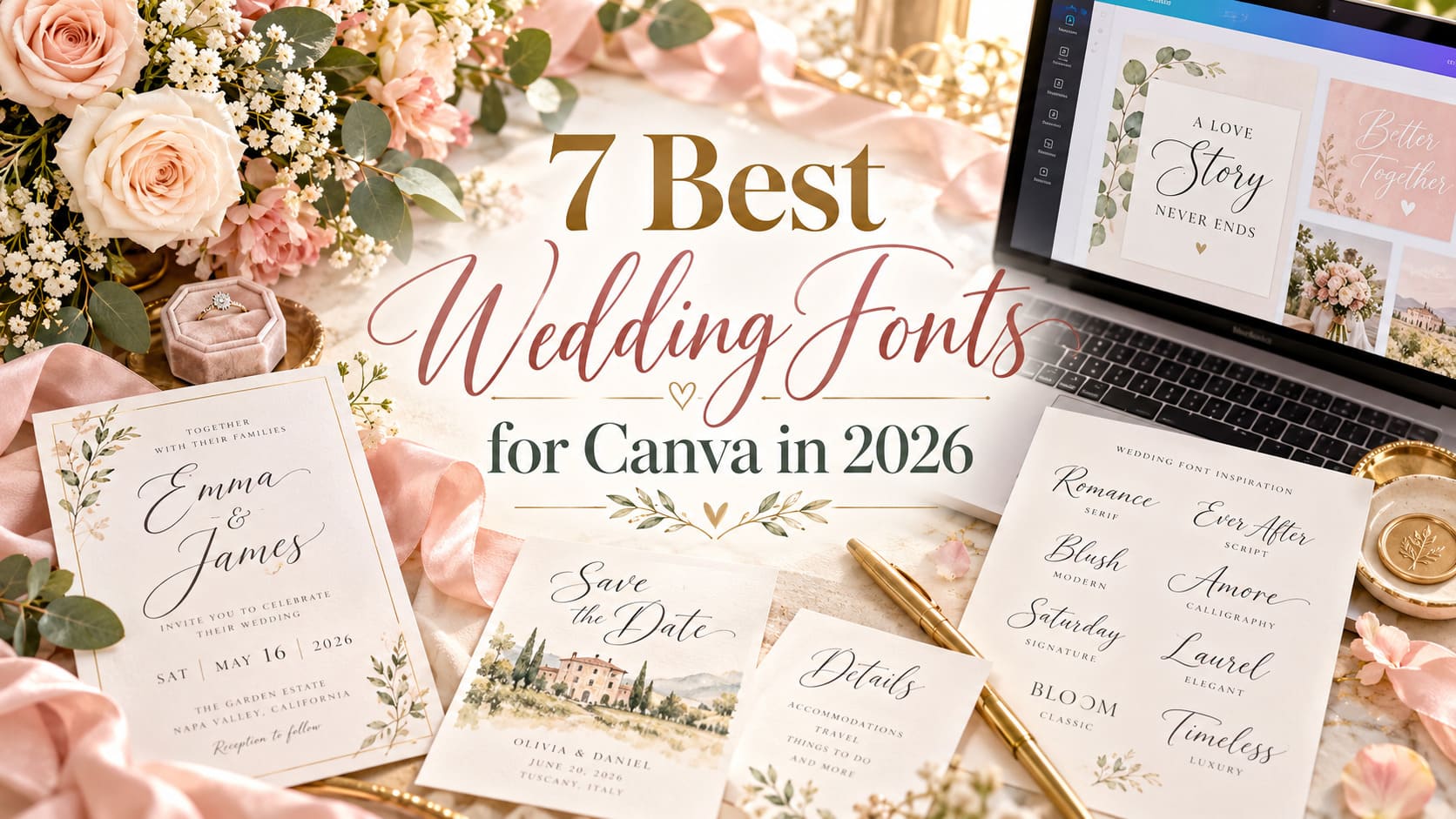
Start with the invitation you want to make, then decide whether your Canva account can use the lettering you love. A delicate script looks wonderful for two names; an understated serif or sans-serif usually handles the date, venue and RSVP details more effectively. The seven Creative Fabrica picks below cover invitations, save-the-dates, menus and welcome signs.
These are third-party downloadable fonts, not a verified list of fonts already inside Canva. Custom uploads depend on your Canva plan, the font file and the permissions in your license. Canva’s own help requires embedding rights; Creative Fabrica’s current standard subscription license restricts some embedding. Check those conditions before buying for an upload-dependent project. If you use Canva Free, the built-in font library is often the most practical place to start.
Our Favorite Wedding Fonts for Canva at a Glance
Best coordinated suite
Ashley Marie
The script-and-sans duo offers a practical shared identity across several wedding pieces.
Best romantic script
Maddison
A softly moving calligraphy line suits prominent couple names.
Best classic serif
Ethereal
An editorial look that works especially well on restrained formal stationery.
Best minimalist
Minimalist
Clean supporting type for dates, locations and contemporary layouts.
Compare the 7 Best Wedding Fonts for Canva
These are style recommendations, not proof of Canva-native availability or individual font-upload eligibility.
| Font | Typography style | Best wedding use | Main advantage | Product |
|---|---|---|---|---|
| Ashley Marie Font | Two complementary styles | Invitations, menus and RSVP cards | Two coordinated roles in one marketplace product | View font |
| Maddison Font | Bouncy connected-looking script | Names and save-the-date headings | Expressive romantic character with documented PUA encoding | View font |
| Ethereal Font | Modern serif with several weights | Formal invitations and programs | A non-script choice for a formal, coherent typographic hierarchy | View font |
| Pink Vibes Duo Font | Delicate script plus companion sans | Bridal brunch and casual invites | A relaxed two-style system for coordinated casual stationery | View font |
| Minimalist Font | Understated sans serif | Modern details and welcome signs | Useful for modern hierarchy and small supporting information | View font |
| Baby Boho Font | Casual modern calligraphy with swashes | Outdoor and rustic celebrations | Distinctive informal wedding character and seller-described swashes | View font |
| Gastonia Script Font | Flowing luxury calligraphy | Formal names, signs and covers | Distinctive statement script for formal, restrained layouts | View font |
The 7 Best Wedding Fonts for Canva in 2026
Ashley Marie Font — Best overall for a coordinated suite
Best overall for a coordinated suite
Script + sans duo
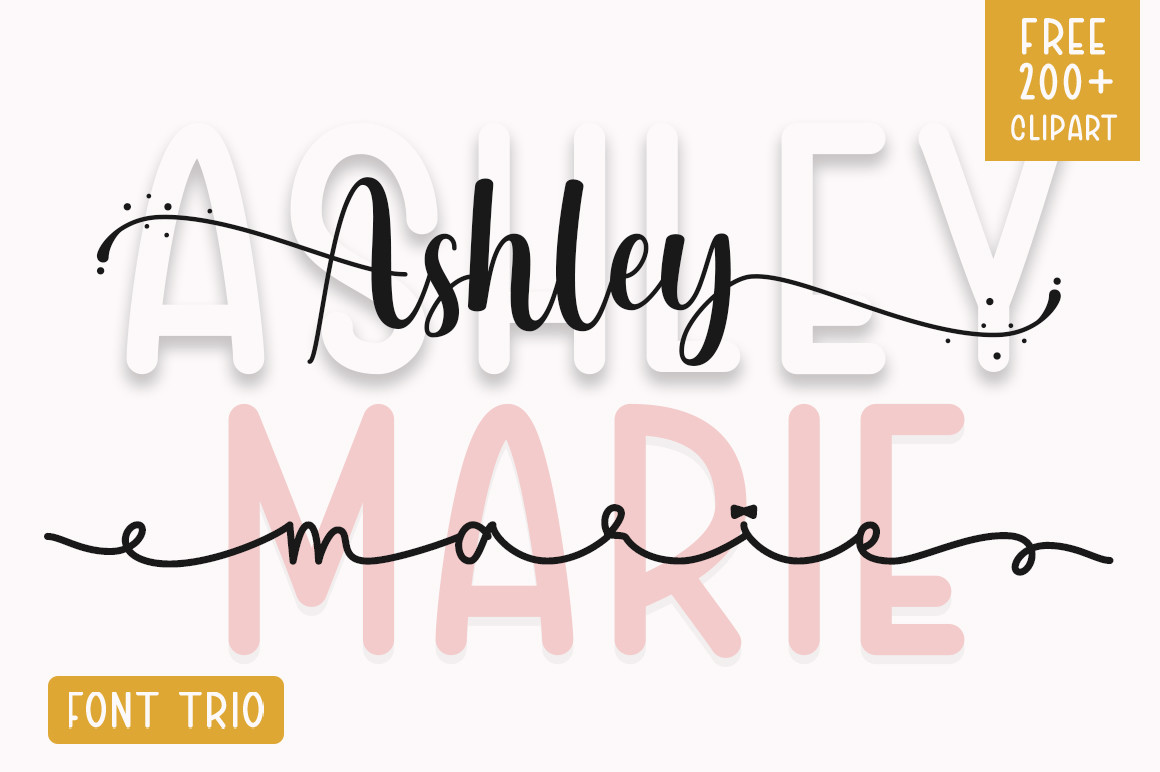
Ashley Marie earns the opening spot because a wedding suite needs more than one beautiful headline. The seller describes a two-style family containing script and sans-serif lettering. You can carry the same lettering from an invitation to a menu or place card without searching for a new display face each time. Use the script for names, then let the simpler companion handle a date or short label. The product listing supports the duo format, but it does not prove how those files will render after an upload to Canva.
Imagine a folded invitation with the couple’s names centered in expressive script, "Saturday, June 12" below in spaced sans-serif text, and a separate details card repeating that restrained lettering. Repeating the pair across pieces makes the suite feel deliberate. It is easier to manage than three competing scripts. Preserve plenty of negative space around long names; do not shrink them to fit a tight template without checking readability.
There is a limit to the duo approach. The script may look busy in a full paragraph, while the sans might feel too relaxed for traditional black-tie wording. Before purchasing, verify the font-file package and whether your Canva account and license permit a custom-font upload. If you only need one simple invitation, a built-in Canva pairing may be easier.
Layout idea: Try the script for a two-name line and the sans for supporting headings; use a separate highly readable text face if the fine print becomes crowded.
Third-party font; verify file and licensing rights.
Maddison Font — Best romantic names and calligraphy
Best romantic names and calligraphy
Romantic calligraphy
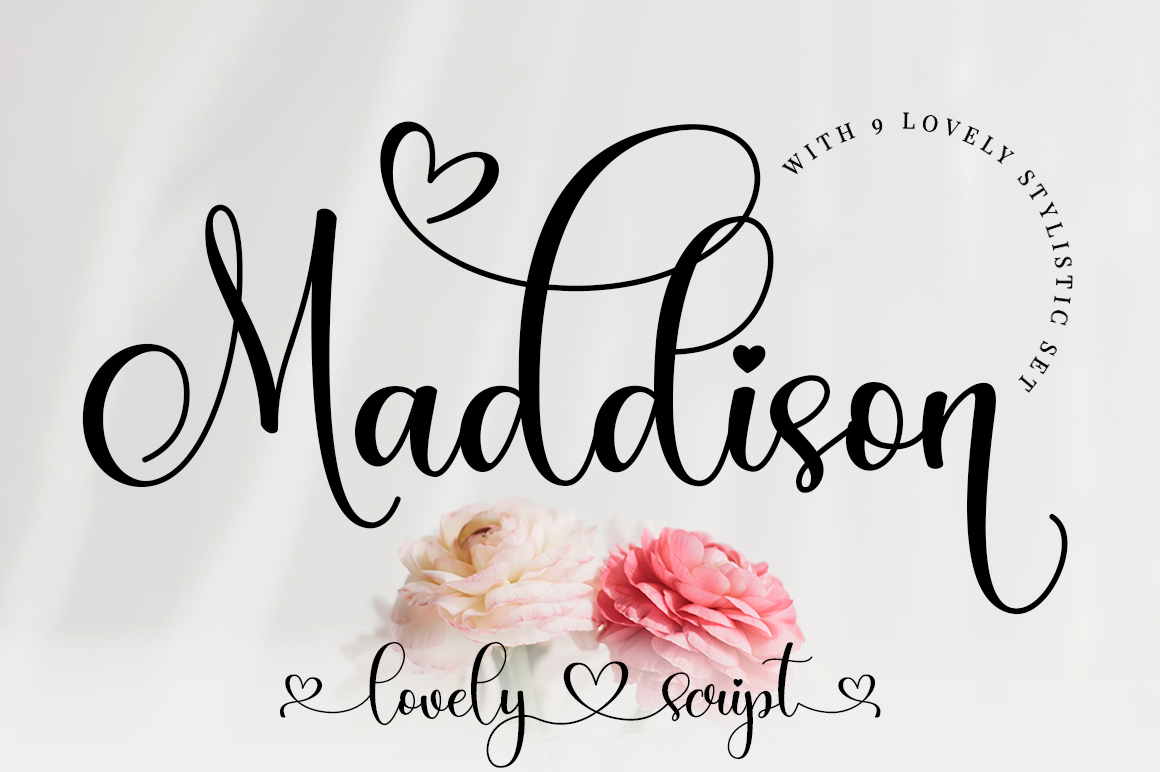
Maddison has a softer, more personal feel than the formal scripts here. Its marketplace description calls out a gently dancing baseline and a romantic mood, and identifies PUA-encoded glyphs and swashes. Those details point to lettering that can give a couple’s names a more personal appearance than a perfectly rigid formal script. It particularly suits soft floral invitations, pale watercolor designs and the large name line on a save-the-date. In a Canva composition, treat it as the expressive element rather than the font for all the information.
Test the lettering with your actual names, especially repeated letters. Decorative scripts can look surprisingly different with a long surname or an awkward letter combination. Build the design around the names first, then position the venue, time and RSVP information in plain type. For a romantic suite, try Maddison above a restrained serif, with enough contrast and line spacing that the words do not merge into the decoration.
PUA encoding is a seller-described feature, not a guarantee that Canva will expose every alternate or swash the way a desktop font editor does. If you need a particular decorative terminal, ask for a demonstration of that exact letter sequence in your intended software. Fine calligraphy can also lose definition on small printed labels; proof those in final dimensions.
Useful strength
Expressive romantic character with documented PUA encoding
Practical drawback
Alternate glyph availability in Canva has not been tested
Layout idea: Reserve swashes for the first or final letter of a name, if the desired glyph is actually accessible after import.
Third-party font; verify file and licensing rights.
Ethereal Font — Best modern classic serif
Best modern classic serif
Serif family
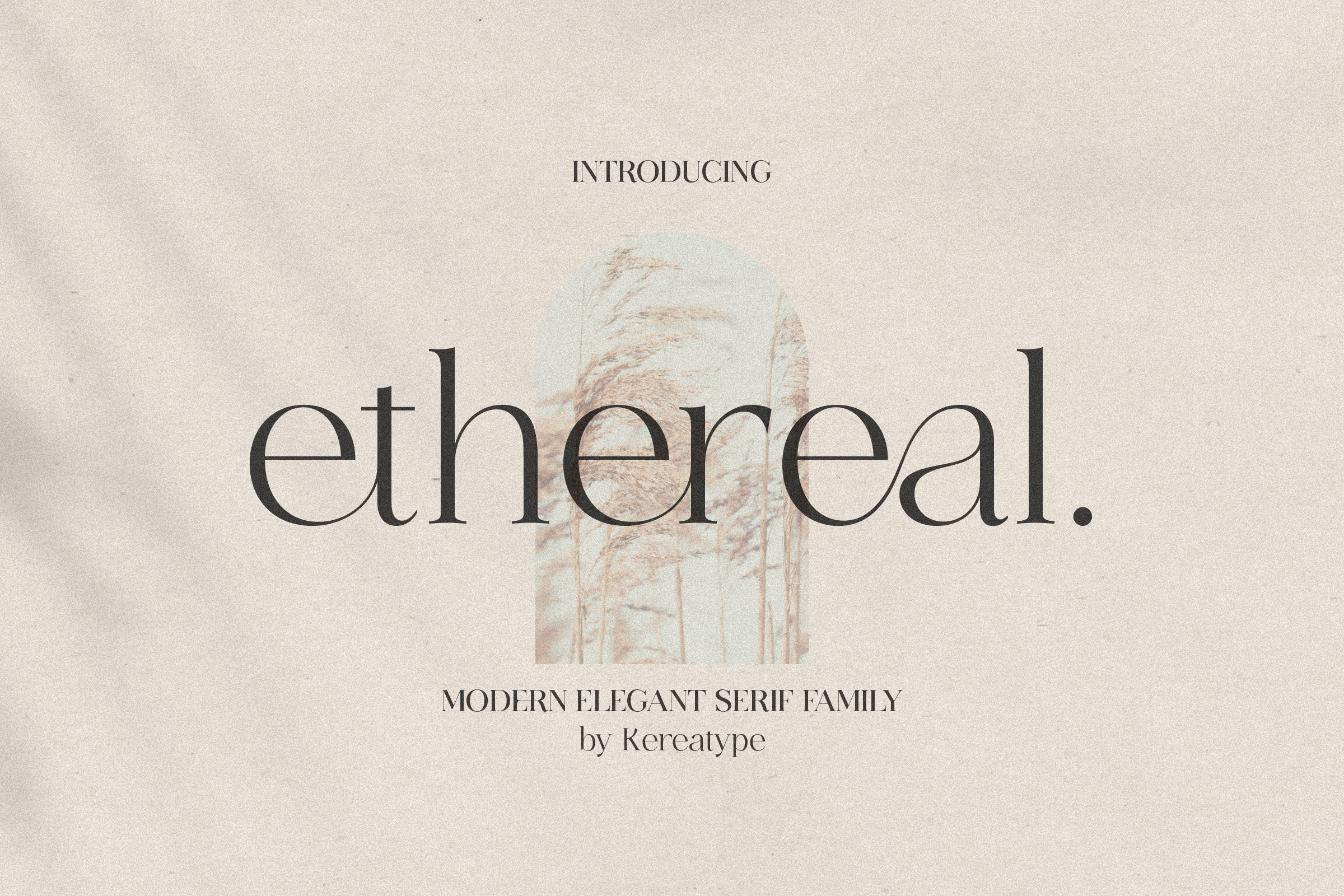
Ethereal is an editorial serif, an alternative to sweeping handwritten letters. The listing describes a serif family with various weights and decorative extras. That can be useful when you want the typography to resemble a small fashion publication, with names on the cover, a clear schedule inside and subtle headings across reception stationery. A serif also makes a good anchor for an invitation where the flowers, border or photograph are already doing much of the visual work.
Think of a formal black-and-ivory invitation: the names sit in a spacious serif headline; the location follows in smaller type; the RSVP is a neat, readable line below. Change scale and weight before adding decoration. If the downloaded family genuinely includes multiple weights, you may be able to create hierarchy with one family. Check the actual files: the Excel description does not list the precise weights, and no Canva upload was tested.
Its character can also be a drawback. A serif can feel cool or editorial where a couple wants loose, handwritten warmth. Also, the more dramatic the thick-thin contrast, the more carefully tiny print should be proofed. Choose Ethereal for structure and ceremony; pair it with a modest script only if the invitation genuinely needs a softer accent.
Layout idea: Use a large serif name line, smaller serif or sans details, and an unornamented RSVP block.
Third-party font; verify file and licensing rights.
Pink Vibes Duo Font — Best playful romantic pairing
Best playful romantic pairing
Script + sans duo
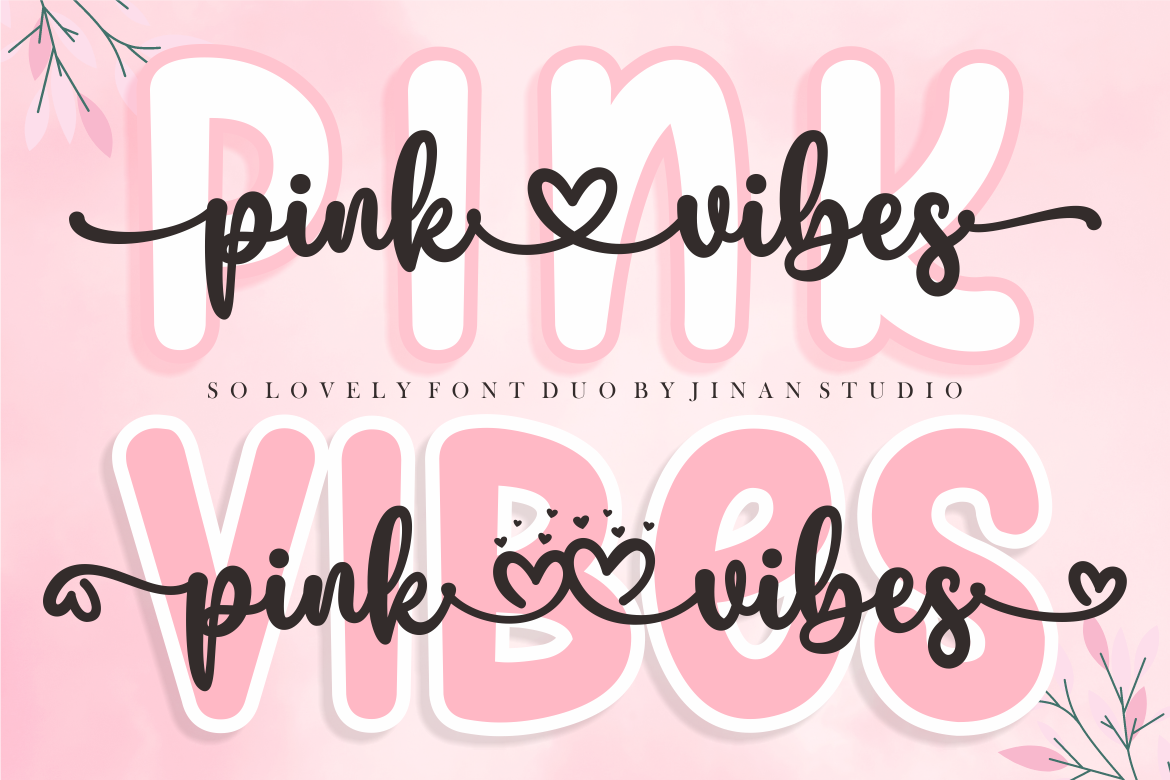
Pink Vibes Duo suits a friendly, less ceremonial wedding. The seller explicitly describes script and sans-serif components and PUA-encoded alternate characters. Unlike a single dramatic calligraphy font, the idea here is a gentle conversation between handwritten notes and tidy supporting text. It can work on a garden-party invitation, a bridal brunch menu or coordinating thank-you stationery where the atmosphere should be relaxed.
Give the script one clear task, such as "Join us" or the couple’s first names, and keep everything guests must act on in the supporting sans. A narrow color palette can help this pairing feel sophisticated: muted rose or warm gray text against off-white paper. There is no need to cover every corner with flourishes. The combination becomes more convincing when the invitation and accompanying cards repeat the same hierarchy.
The informal tone limits its range. Pink Vibes may look too casual for a strictly traditional ceremony, and there is some functional overlap with Ashley Marie. Pick this one when the softer handwritten mood matters more than a stately, editorial look. The product description mentions PUA features, but we cannot confirm exactly which alternates survive a Canva upload, or establish legal permission to upload from the listing alone.
Layout idea: Start with one phrase in script and use the paired sans on date, address and registry details.
Third-party font; verify file and licensing rights.
Minimalist Font — Best minimalist wedding layout
Best minimalist wedding layout
Clean sans serif
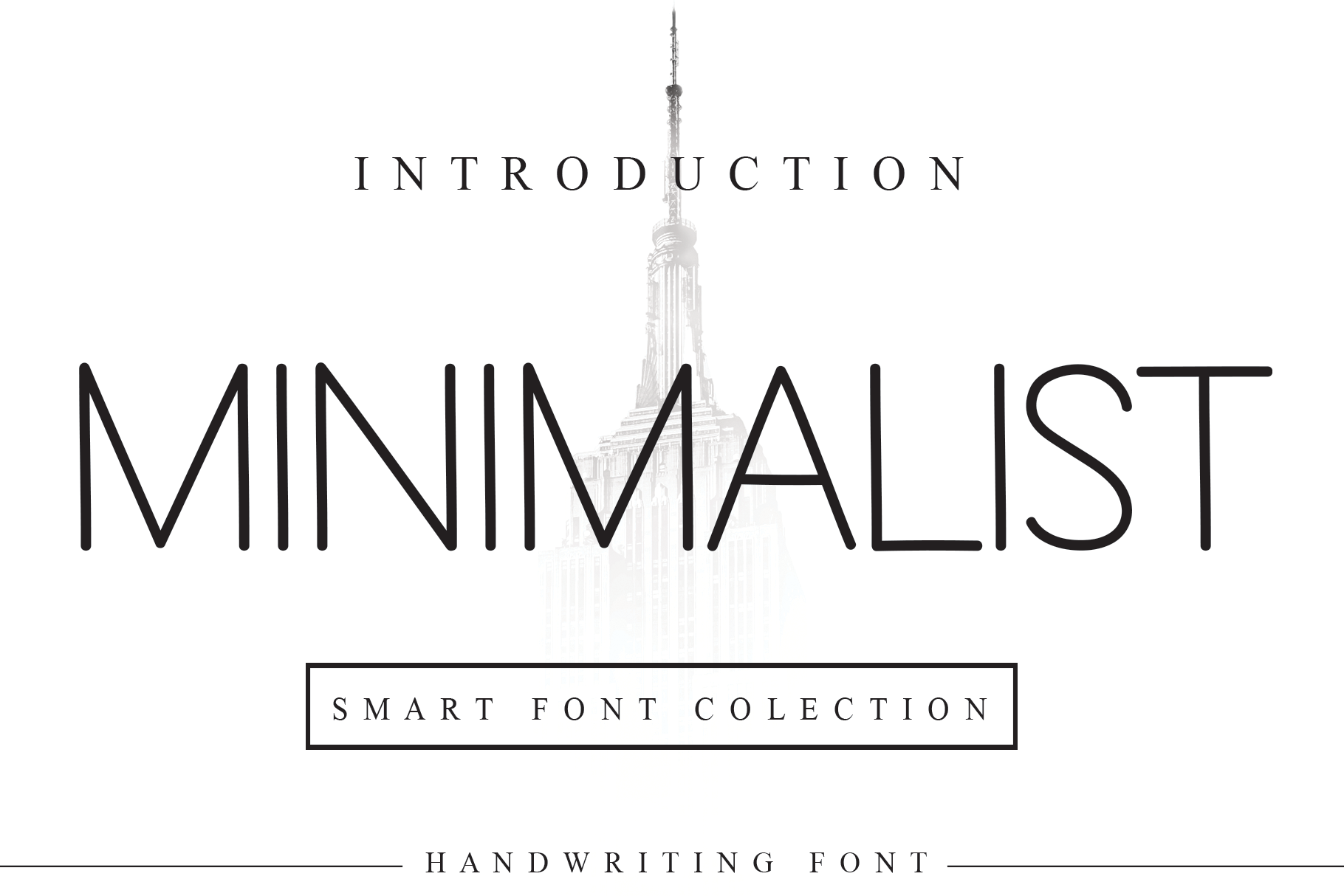
Minimalist gives all those flourishes some breathing room. The product page describes a simple, neat sans-serif typeface, which is why it earns a spot even though it does not look like stereotypical wedding calligraphy. Many modern invitations succeed through spacing, proportion and paper color rather than dramatic letterforms. A clean sans can hold the ceremony address, seating information and small headings without competing with the artwork.
For a city wedding or gallery-style celebration, set the couple’s names in a larger weight or size and space the supporting lines deliberately. You can also pair Minimalist with one expressive script: the script carries the identity, while the sans carries the instructions guests actually need. This is especially helpful on a wedding website announcement image or a compact digital save-the-date, where many flourishes would become illegible on a phone.
Minimal lettering can still become hard to read. Thin forms at tiny sizes, overly wide tracking or low-contrast colors can undermine the design. Test a printed sample at the final physical size, including the longest location line. If your Canva account already has a suitable built-in sans, purchasing another may have little practical benefit; this is a style option, not a necessary upgrade.
Layout idea: Keep the date, venue and RSVP information in high-contrast, easily scanned sans-serif text.
Third-party font; verify file and licensing rights.
Baby Boho Font — Best boho save-the-date accent
Best boho save-the-date accent
Bohemian script
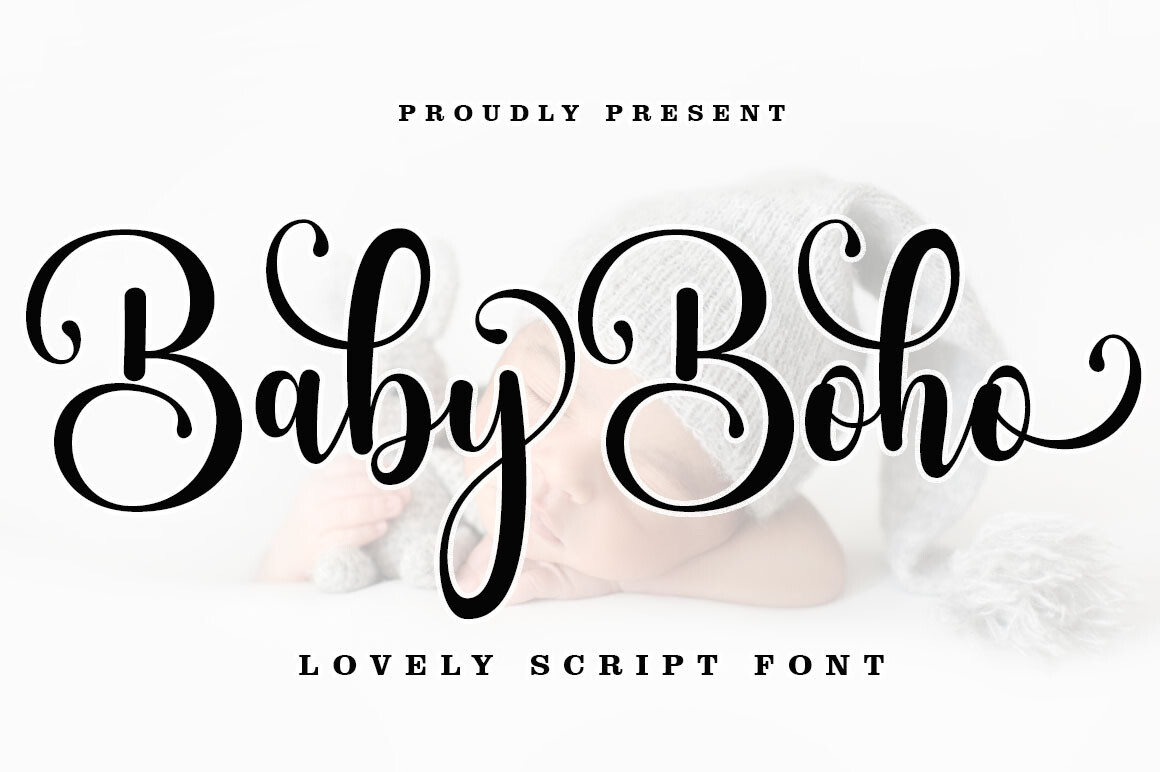
Baby Boho fits stationery built around botanical sketches, textured paper and outdoor celebrations. The listing describes modern calligraphy with swashes and explicitly mentions wedding invitations and signage as possible applications. The result is less ceremonious than an engraved serif and more decorative than an everyday handwritten note. A short names-only heading is a natural place to put that personality.
Imagine a save-the-date with pressed-flower artwork, one handwritten name line and a straightforward date underneath. Baby Boho could provide the expressive portion without forcing every word into the same ornamental rhythm. Its PUA-encoded additions are mentioned by the seller, with desktop character-map access described. That last detail matters: A swash shown in a desktop program might not be available in Canva.
Use restraint on small items. An elaborate tail can collide with an adjacent line, and letter connections may look untidy in certain name combinations. This typeface is better as a large visual accent than for addresses or multisentence instructions. For a digital announcement, test it at the size guests will see in a phone preview, where the decorative strokes have much less room. Confirm available file formats, font rights and glyph behavior before building an entire paid client suite around it.
Useful strength
Distinctive informal wedding character and seller-described swashes
Practical drawback
Flourishes and unusual letters may require manual checks
Layout idea: Set the names first, then add botanical embellishments only where the words have room to breathe.
Third-party font; verify file and licensing rights.
Gastonia Script Font — Best luxurious calligraphy statement
Best luxurious calligraphy statement
Formal decorative script
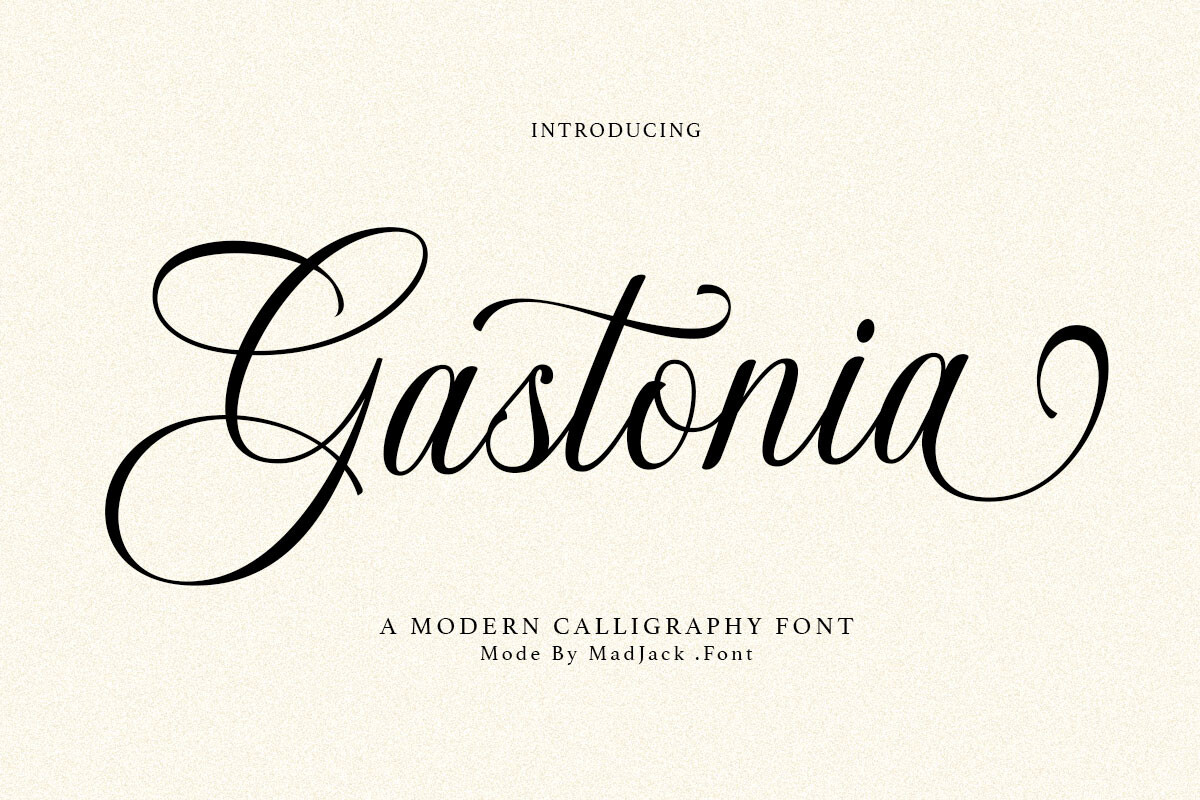
Gastonia Script lets the couple’s names carry the design. The marketplace describes refined curves and a modern calligraphy style suitable for invitations and elegant editorial work. It has the right design intention for a clean invitation with almost no ornament: make a single beautifully set name line prominent, then let the remaining text stay small, quiet and regular. This approach can also extend to a reception welcome sign or a printed program cover.
A useful way to evaluate this kind of lettering is to compare two layouts: one with Gastonia used only for the names, another with it repeated across the date, venue and greeting. The first is usually easier to read and gives the script a stronger presence. Choose a sober serif or neutral sans for all details. Keep generous space around uppercase initials, especially if they have long curves or complex joins.
A marketplace preview has limits. Flowing strokes in a large specimen do not establish sharp output on every home printer, accessible alternates inside Canva or flawless behavior in digital exports. If your wedding suite needs an extensive RSVP card, detailed menu and place-name system, Gastonia may be better as a supporting accent than your only typeface. Use it for expressive hierarchy, with the licensing check completed first.
Layout idea: On a formal invitation, limit Gastonia to one large name line and support it with a quiet serif.
Third-party font; verify file and licensing rights.
How to Choose the Perfect Wedding Font for Canva
Match Your Font to Your Wedding Style
Start with the actual event, not a font specimen displayed at giant size. A formal evening celebration may suit an editorial serif such as Ethereal or a single calligraphic name line. A garden ceremony can accommodate Maddison or Baby Boho. A small city-hall wedding with a monochrome invitation might look stronger with Minimalist and carefully arranged spacing than with any extra decoration. For relaxed receptions, two-style families such as Ashley Marie and Pink Vibes Duo make it easier to repeat a coherent look on menus, table numbers and thank-you cards.
Place a sample of your chosen lettering inside the real invitation layout. If the names look lovely but the venue line feels like an afterthought, the font has not solved your design. You may need a quieter supporting face or more space, not a different decorative alphabet.
Choose Fonts That Stay Readable
Decorative calligraphy belongs where it can breathe: couple names, a short greeting or perhaps the main heading of a program. Guests have to read the venue address, start time, RSVP deadline and any accessibility notes at a glance. For those lines, use an uncomplicated serif or sans-serif with sufficient contrast against the background. Pale beige letters on an ivory card may photograph beautifully but become difficult under real indoor lighting.
Check the longest guest-facing phrase, not only a three-letter sample word. Long surnames, punctuation, numerals and accented letters reveal awkward spacing. View a design at its intended phone size and print one proof at actual dimensions before ordering dozens of cards.
Pair Script Fonts with Simple Supporting Typefaces
Choose roles before choosing fonts. A simple system is one expressive font for names plus one reliable typeface for the information. Pair a flowing calligraphy accent with a restrained serif, or combine a substantial serif name headline with a clean sans for small lines. Repeat this system across the entire stationery suite. Two competing handwritten scripts usually ask the reader to interpret two different decorative rhythms at once.
Hide the couple names for ten seconds. Can you still find the date, ceremony venue and RSVP instruction immediately? If not, simplify the supporting type and increase spacing before changing the ornamental headline.
Think About Printed and Digital Invitations
Printed stationery has physical limits that a bright monitor can disguise. Delicate serif hairlines and thin scripts can soften on textured paper; light ink and small type make the problem worse. Keep text inside Canva’s safe margins and give full-bleed backgrounds enough extra area for trimming. Canva’s official guidance explains safe zones, bleed and PDF Print, while printers may specify their own export requirements. Digital invitations have different constraints: people may read them in message previews, on small phones or against screens with very different brightness.
Test both formats if your wedding suite uses both. Rather than force one exact layout into every medium, preserve the typography pairing and adjust sizing for the output.
Check Font Files and Licensing
Before paying for an external font, confirm the actual download includes an OTF, TTF or WOFF file accepted by Canva, then confirm your Canva plan permits uploading it. A marketing preview could be a static image; the preview alone cannot prove the package contains a usable font file. Special swashes may rely on alternate glyphs that Canva does not expose like desktop typography software.
Licensing needs its own check. Canva says custom-font licenses must allow embedding. Creative Fabrica’s current standard subscription terms restrict embedding fonts into apps/software, so a blanket promise that every Creative Fabrica product is cleared for Canva cloud upload would be misleading. Ask the provider for written permission or a suitable license for your exact workflow. A license to sell a finished invitation is not automatically permission to redistribute the font file or share an editable template containing it.
How to Upload and Use Custom Wedding Fonts in Canva
Canva supports custom font uploads on eligible plans, including Pro, Teams, Business, Education and Nonprofits. Ordinary Free media uploading should not be confused with the custom-font entitlement. The current help documentation accepts .otf, .ttf and .woff font formats, with a stated cap of 500 fonts per Brand Kit. Features and access can depend on your team role and Brand permissions.
- Check your account. Confirm that your subscription and workspace permissions show a custom-font or Brand Kit upload option. If you cannot access it, use Canva’s built-in fonts or check with your administrator.
- Inspect the marketplace product. Verify the exact font files you would receive, including whether the version you need is supplied as an accepted font format rather than an image or SVG illustration.
- Confirm usage rights. Obtain permission for Canva’s required embedding/upload workflow from the font seller or license holder. Do this before uploading the file, even if personal printing is permitted by your marketplace license.
- Open the relevant Brand area. Canva’s current Brand Kit help describes a Brand section for authorized users. Locate the Brand Kit where fonts are managed; exact controls vary by workspace and role.
- Upload the permitted font. Choose the supported file, follow Canva’s permission prompts and look for the uploaded font in the design editor’s font menu.
- Set an actual sample. Type the couple names, accented characters if needed, figures, venue and punctuation. Verify line spacing, any special glyphs and the final export.
- Export and proof. For a commercial print shop, ask whether it prefers PDF Print, crop marks or a particular bleed specification. Check the exported file before placing an order.
A flattened image of lettering cannot be edited like a font file. If you do not have font-upload rights, using Canva’s built-in typefaces is the straightforward alternative. See Canva’s current supported font formats and requirements.
Canva’s Built-In Wedding Fonts vs. Downloadable Fonts
The two options demand different levels of setup. Canva’s in-app library lets you pick a font directly in the design editor, with some typefaces subject to plan or content licensing. Downloadable fonts are third-party files, which need a qualifying Canva account and appropriate upload rights before they can be used as editable text in Canva. The seven Creative Fabrica products above have not been verified as native Canva library entries.
| Question | Canva built-in | Downloaded third-party font |
|---|---|---|
| Where do you find it? | In Canva’s font selector | From a font provider and eligible custom-font upload |
| Setup | Select in the editor | Check files, plan, license, permissions, then upload |
| Canva Free | Built-in free options available | Custom-font uploads are not included in the eligibility listed by Canva |
| Licensing | Follow Canva’s applicable content terms | Provider license must permit the intended use and upload |
| Visual options | Convenient library choices | Additional styles, if properly licensed and supported |
If you only need a beautiful one-off invitation, a good built-in pairing is often enough. Buy an outside font when its specific lettering and the right to use it in your workflow justify the extra work.
Beautiful Wedding Font Pairings to Try in Canva
Each font in a pairing needs a clear job. Let one face convey the atmosphere, then choose a second that handles information cleanly. The following are design approaches, not claims that the seven external products have been tested with a particular Canva font. When using downloadable fonts, complete the same upload and license checks before building an editable template.
| Wedding aesthetic | Headline approach | Supporting approach | Where to use it |
|---|---|---|---|
| Classic black tie | Large formal calligraphy | Quiet medium-weight serif | Names and ceremony details |
| Modern gallery | Elegant display serif | Minimal sans-serif | Invitation and seating chart |
| Garden romance | Soft flowing script | Simple upright serif | Save-the-date and welcome note |
| Relaxed bohemian | Casual brush-like script | Open, uncomplicated sans | Menu and outdoor signage |
| Small city wedding | Spacious sans-serif headline | Same family in a smaller scale | Minimalist announcement card |
As you refine your design, compare the size of the names with the practical details. Decorative flourishes should not touch another line or the card’s trim area. Repeating a consistent pairing across invitations, menus and programs is often more effective than introducing a fresh font on every page.
Common Wedding Invitation Font Mistakes to Avoid
Making every line a script. Guests need to understand logistical details quickly. Keep script for a small amount of prominent text and place the address or RSVP in readable upright type. Mixing too many decorative faces. The invitation may look inconsistent even when every font is attractive on its own. Give the names one visual voice and the details another.
Choosing fonts from previews alone. A specimen is no substitute for checking the numbers, accented letters and long surnames your design actually uses. Check sample phrases and the package contents. Forgetting print size. Hairline strokes, low contrast and tight tracking may be hard to read after printing; proof at the final card dimensions rather than at 200% zoom.
Assuming third-party fonts appear in Canva automatically. They do not become Canva library entries just because a seller suggests wedding use. Verify the file, account eligibility and the specific rights needed for Canva uploading. For clients, also establish whether an editable template would distribute or expose font files; the ability to sell a flat printed invitation does not settle that question.
Frequently Asked Questions About Wedding Fonts for Canva
What are the best wedding fonts for Canva?
For a romantic invitation, a calligraphy accent such as Maddison can give the names personality. Ethereal suits formal serif layouts; Minimalist is a cleaner choice for dates and addresses; Ashley Marie is a practical two-style concept. These are external marketplace recommendations, not confirmed native Canva fonts. The best choice is one you can legally use, read at the final size and repeat throughout the stationery suite.
Does Canva have wedding fonts built in?
Yes. Canva provides an in-editor font library suitable for wedding stationery, including script, serif and sans-serif categories. Fonts and availability can vary by plan or library changes. If your main goal is to design one invitation without extra setup, search the built-in font selector before purchasing external files.
Can I upload Creative Fabrica fonts to Canva?
Canva accepts qualifying custom-font uploads, but a seller file does not automatically meet the licensing requirement. Canva asks for a font license that allows embedding; Creative Fabrica standard terms restrict certain kinds of embedding in software or applications. Confirm the exact font-file license and obtain written authorization or a suitable license before attempting an upload. We have not verified that these seven individual products are cleared for it.
Can Canva Free users upload custom fonts?
The current official Canva upload-requirements page lists Pro, Teams, Business, Education and Nonprofits among eligible users. Canva Free is not in that list. A Free account can still create beautiful wedding stationery using available built-in fonts; do not confuse ordinary image uploads with font-file uploads.
Which font styles work best for elegant wedding invitations?
A formal serif or carefully chosen calligraphy headline both work well. Set names in a distinctive display face; reserve a readable upright font for the place, date and RSVP details. Strong spacing and high contrast often make more difference than adding a second decorative script.
How many fonts should I use on a wedding invitation?
Two typographic roles are a helpful starting point: one expressive face for names and one quieter face for details. You can build hierarchy with sizes and weights within one family instead. More than two fonts can work, but every new typeface should have a clear reason to be there.
Can I sell wedding invitations made with downloaded fonts?
The answer depends on the actual font license and delivery format. Some licenses permit selling finished printed or flattened designs while restricting transfer of font files, cloud embedding or editable resale templates. Read the current terms for the specific product and ask the seller if you plan to upload files to Canva, sell editable templates or provide source files to clients.
Final Thoughts on Choosing Wedding Fonts for Canva
If you want softly romantic wedding lettering, start by comparing Maddison and Baby Boho with your actual names. For a formal editorial invitation, Ethereal or Gastonia Script may offer a stronger visual direction; Minimalist suits modern details. Ashley Marie and Pink Vibes Duo provide useful paired-style concepts for a coordinated suite.
Choose the font according to its job, proof the smallest text and repeat your typography decisions across the wedding pieces. Canva’s native font library is enough for many designs. If you decide that a downloadable Creative Fabrica font is worth adding, check the file type, eligible account and licensing permission before you build the invitation around it. Even a beautiful font is a poor choice if its license or file cannot support your workflow.